
Your notes app is where good ideas go to die. The Build Studio is where they come to life.
Now Live!
A Notion toolkit for turning your half-baked ideas into fully built-out offers, ready to launch.
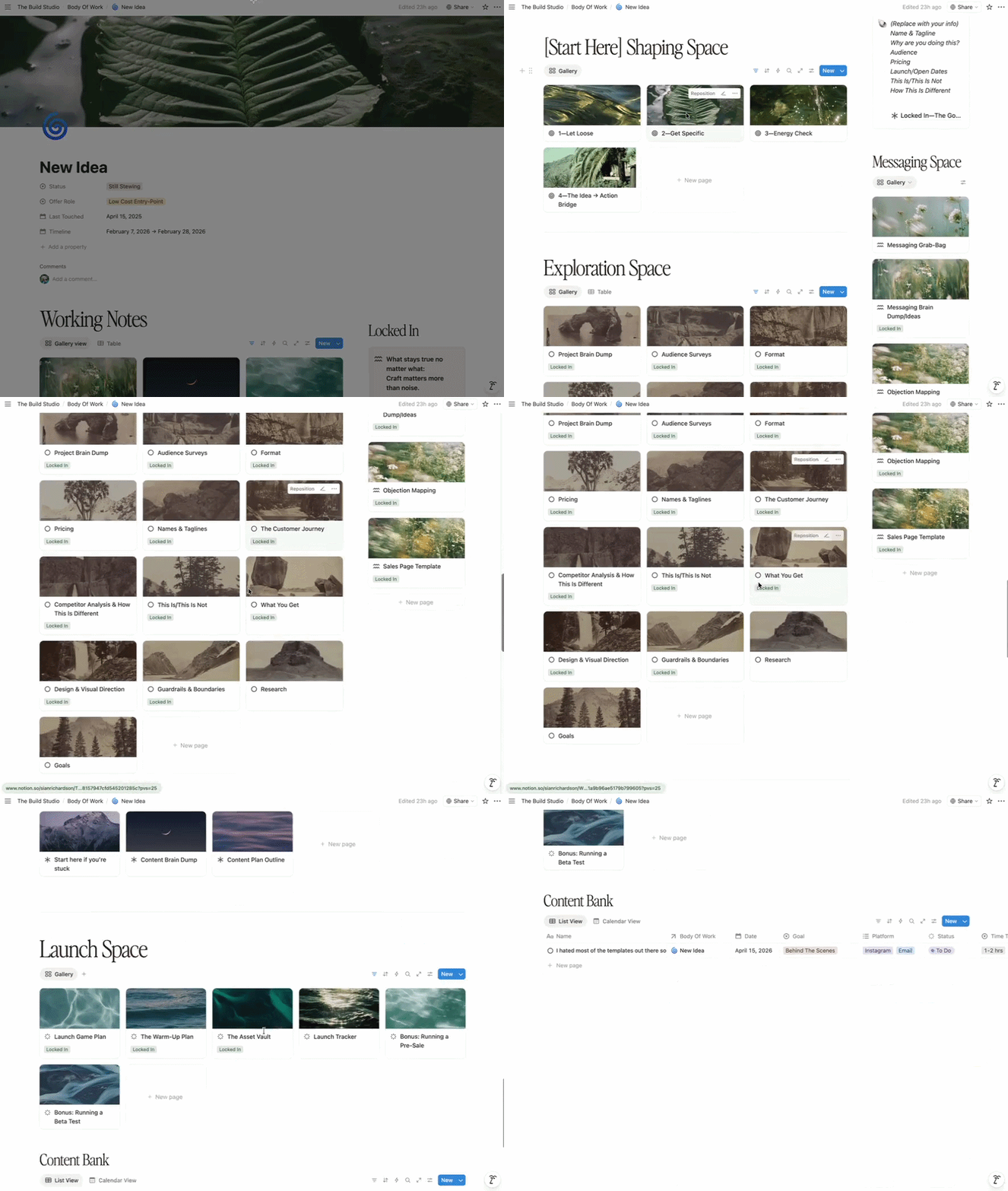
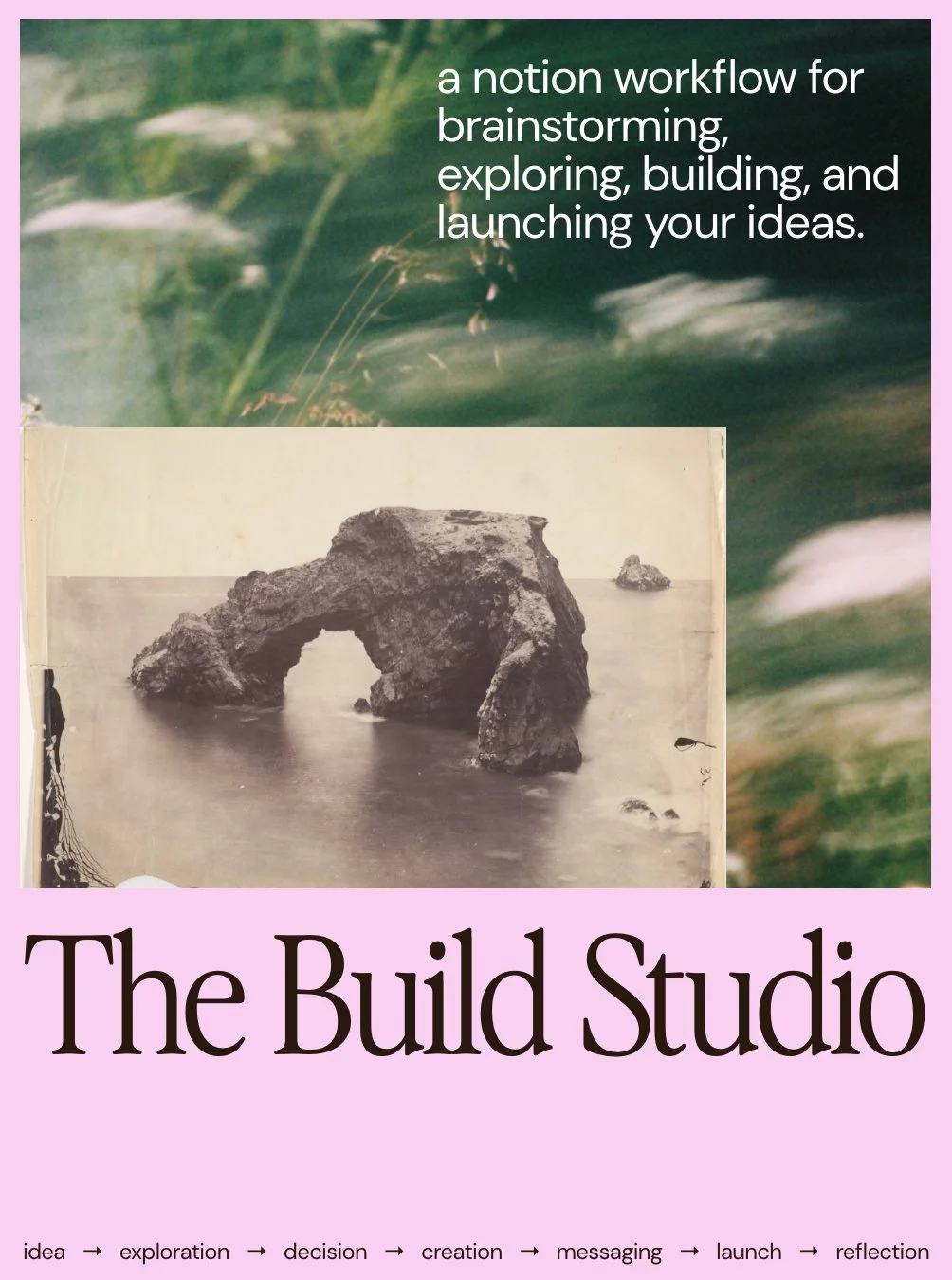
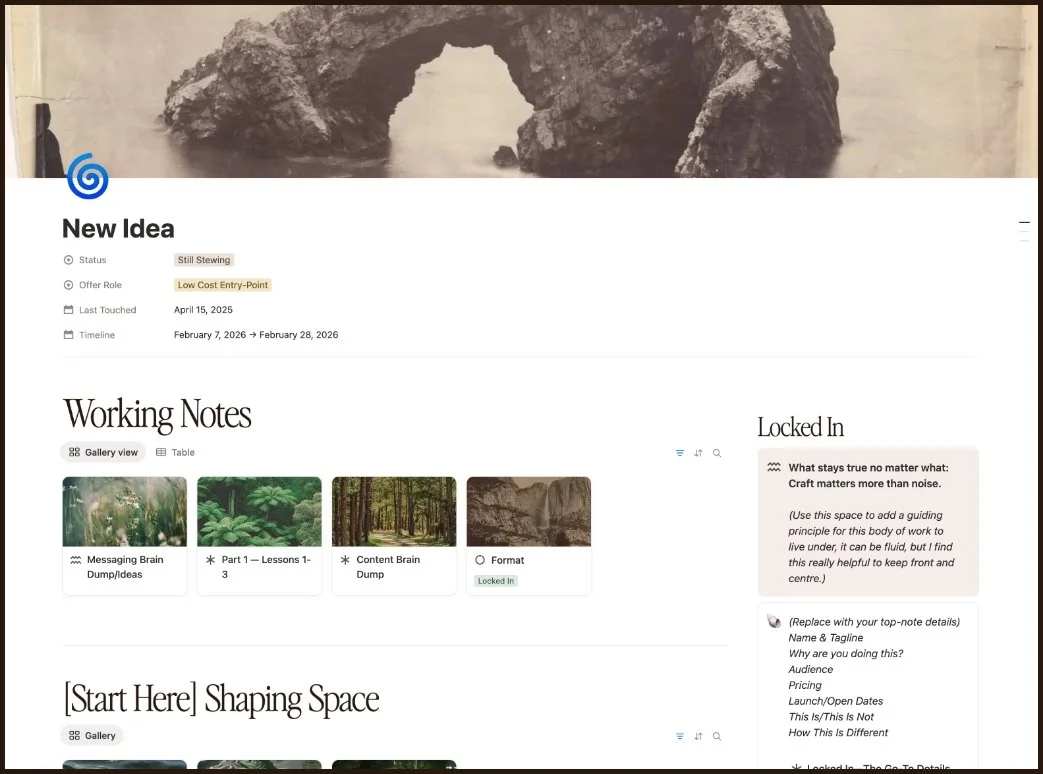
The Build Studio is a guided Notion toolkit that takes your idea—messy, half-baked, wherever it lives right now, and walks you through the entire process of turning it into a real, launched thing.
Idea → exploration → decision → creation → messaging → launch → reflection.


You know the loop…
Big new idea, get super stoked about it, immediate overwhelm, then nothing… lol.
You get to a point where the path forward just isn't clear, so it feels easier to just let the whole thing go and move on.
So the ideas stack up in your notes app, your voice memos, the back of your brain… and they’re not going anywhere, but also, neither are you… so you just keep sitting on all this cool shit you wanna make.
The Build Studio is what I built to break that loop.
This isn't another fucking launch planner that just gives you boxes to fill in and calls it a day. It's 16+ years of "oh shit, I wish I'd asked myself that earlier", every question, every decision, every thing I had to figure out the hard way, baked in, exactly when you need it.
Inside, you start with the shit most basic ‘templates’ never ask.
Is this actually aligned with where you're going?
Does it fit the body of work you're building?
Do you even want to make this thing, or does it just sound like a good idea in your head??
These are the questions that save you from spending three months building something that looks good on paper but feels completely hollow when you actually launch it, because this self-filtering skill of discernment is one of the most underrated you can have as a creative or business owner.
Once you know it's a yes for you, it walks you through the whole thing. Format, pricing, messaging, the build, the launch, all of it.
And that's why this is so much more than a basic-ass single template, it's an entire toolkit with every part of the process baked in.

This isn’t about working harder, or being more productive, because we ain’t doing that anymore. This is about giving your body of work a place to live, to evolve, and to actually become something you want to share with the world.
The Build Studio is where the exploration happens, the decisions get made, the thing gets built, and none of it gets lost in the sauce because it’s designed to keep you checking in with yourself the entire fucking time.
Every piece of this toolkit has been built from a real problem, or a real need throughout the process—either mine, or someone in my audience who’s given me feedback. Nothing in here exists because it just ‘seemed like a good idea’, it exists because at some point, without it, shit went sideways or just fell apart.
How It Works
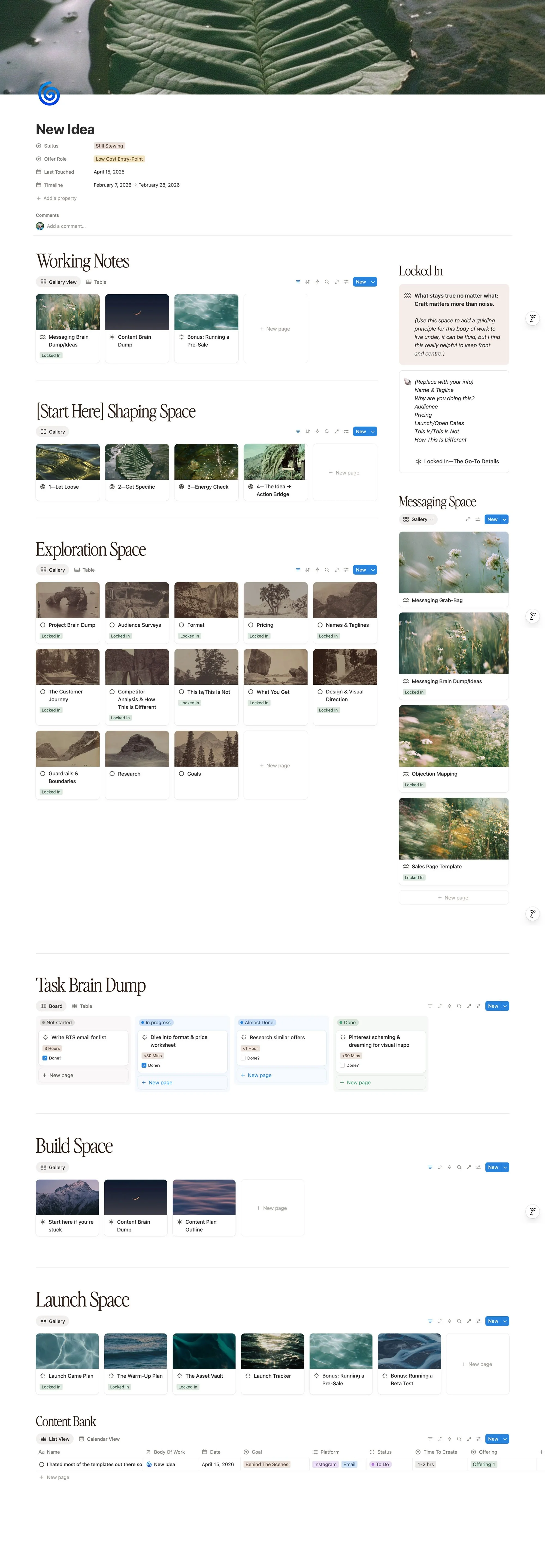
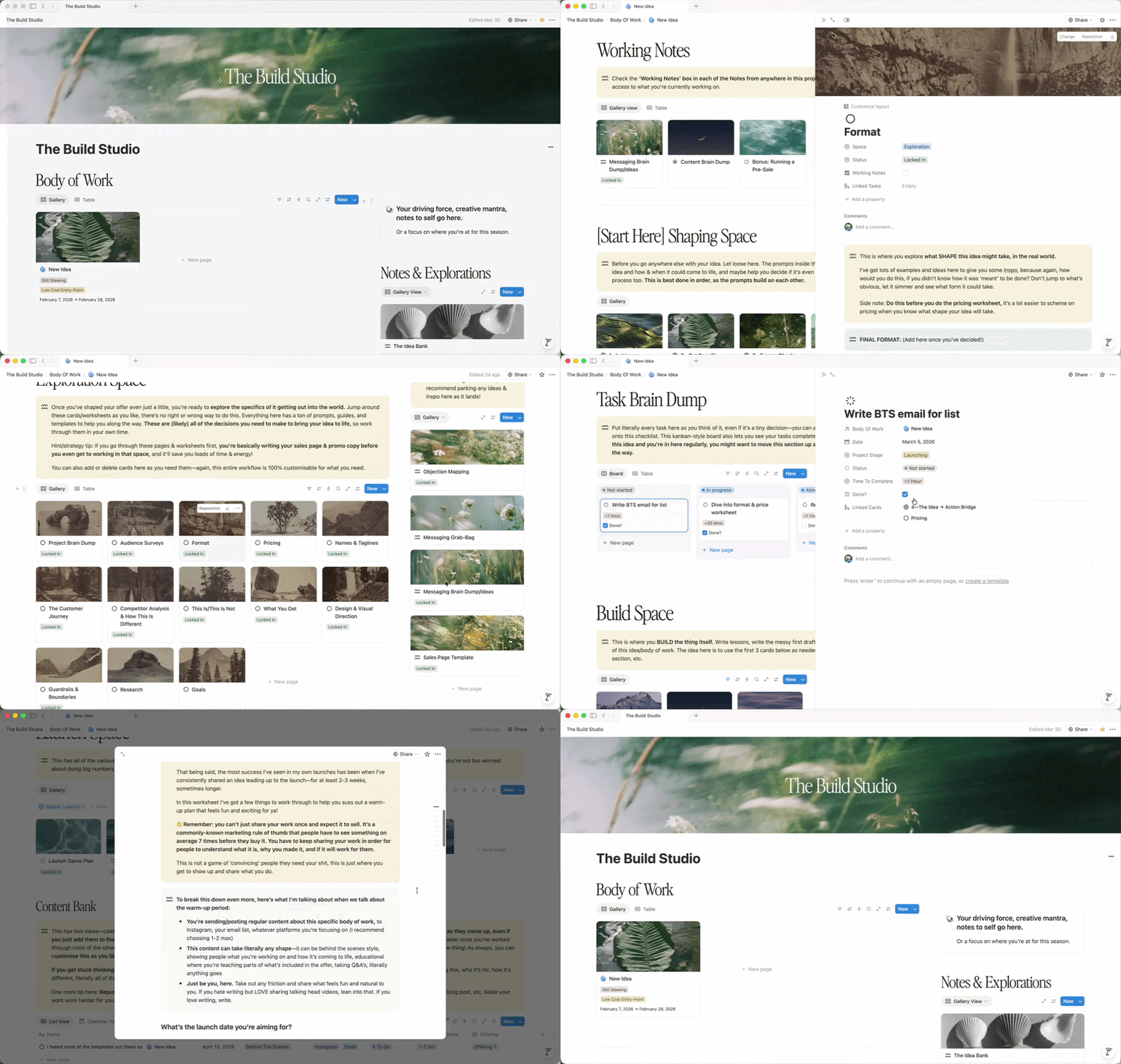
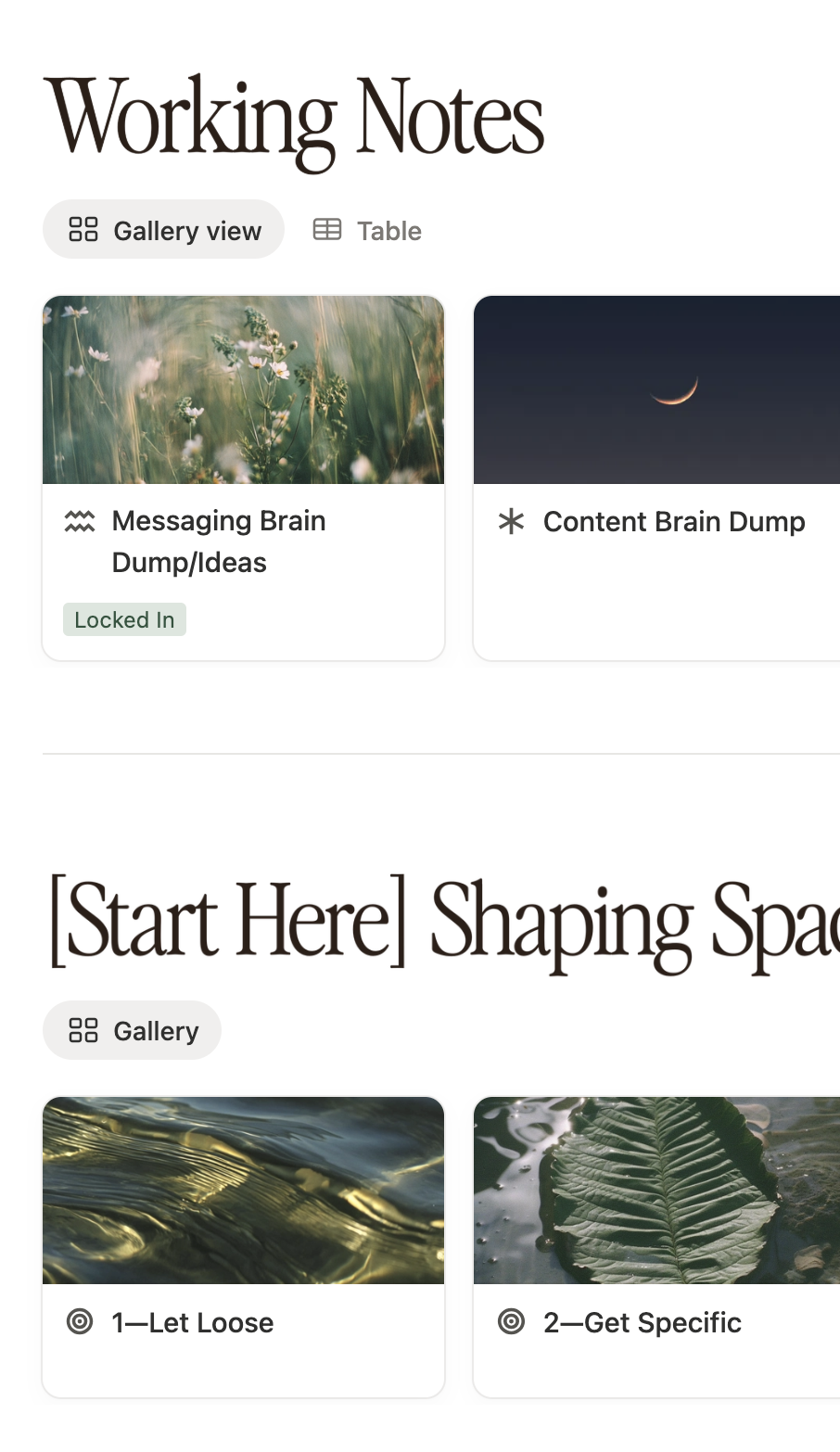
The Build Studio is set up as a series of spaces and cards you move through as you're building, each one with worksheets, prompts, and the kind of thinking you'd normally have to figure out on your own or pay someone a lot of money to help you with.
The reason it's built the way it is: because ideas don't move in a straight line.
Some days you're in pricing mode. The next you've got a burst of messaging ideas. Then you're back to refining the whole format.
The Build Studio is built to hold all of that without letting any of it get lost, and without making you feel like you're failing because you're not following some rigid step-by-step.
Built in Notion
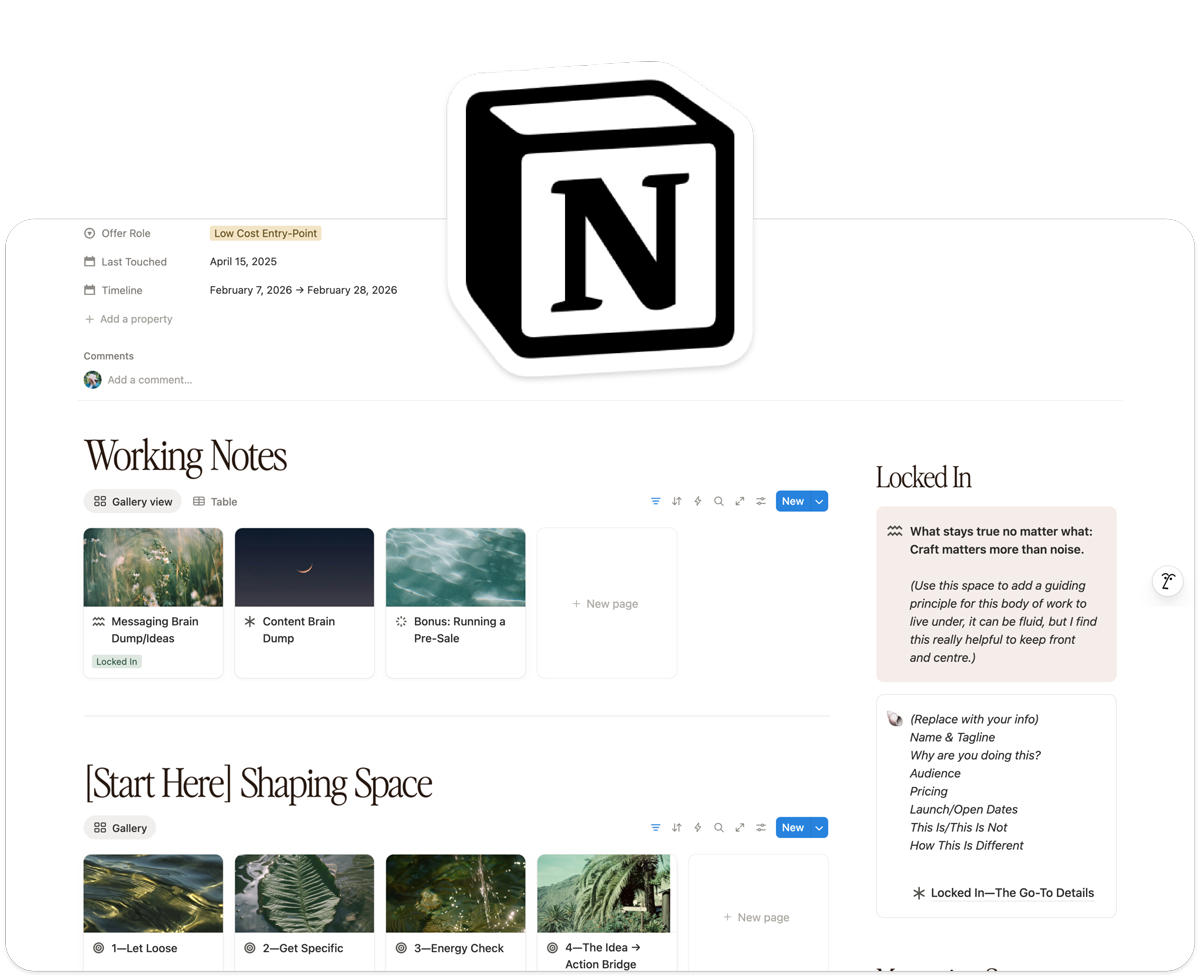
The Build Studio lives in Notion, so you can access it on any device, jump between spaces as you need, and navigate the whole workflow without it feeling like a maze. This also means it’s 100% customisable. Edit the categories, colours, spaces, cards, literally anything—to suit your creative flow & how you work best.
My Personal Tips & Advice
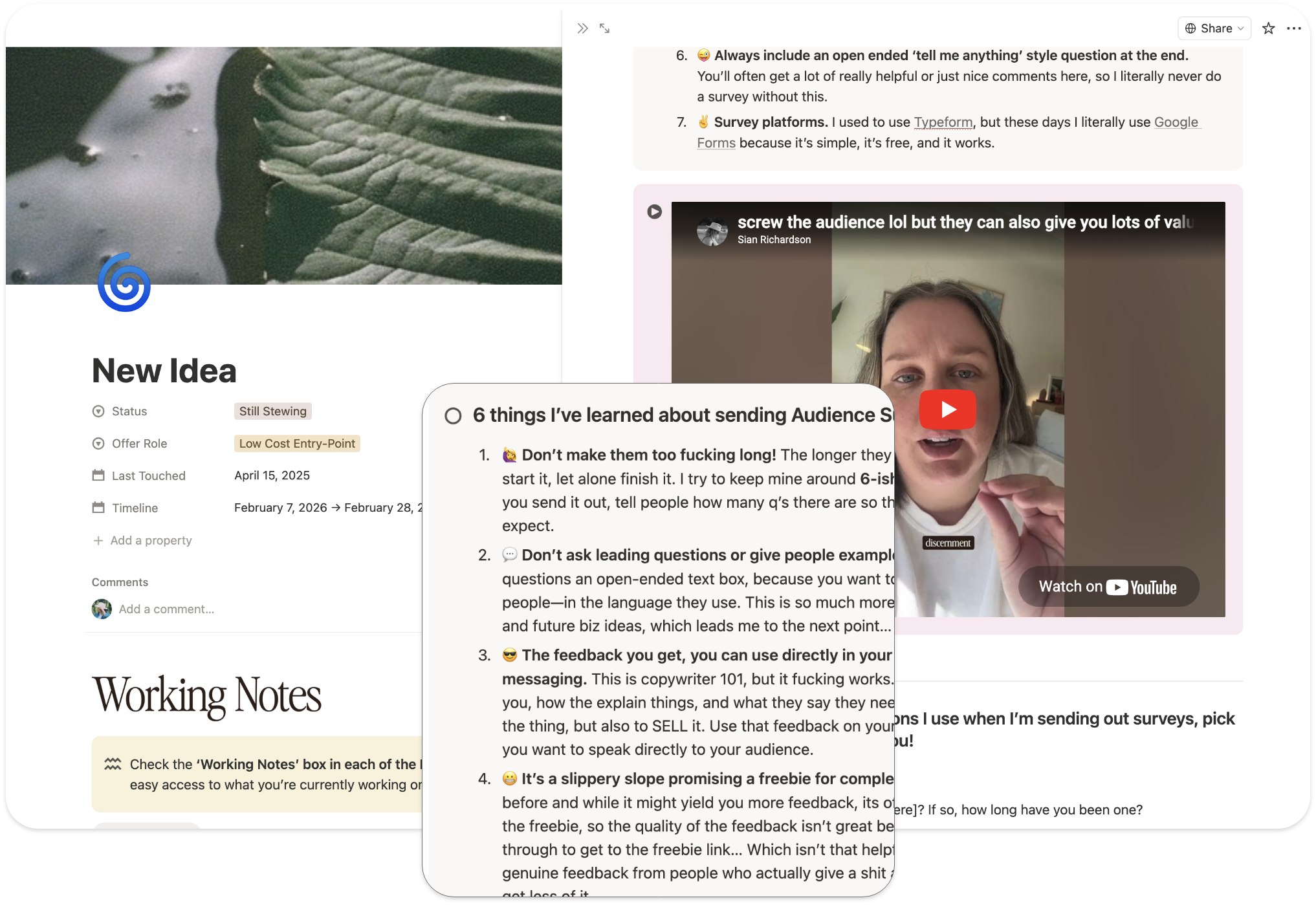
Throughout the toolkit you’ll find my tips, experience, and real talk dropped in right where you need it, not in a separate doc you'll never open, but inside the actual workflow, at the exact moment it's relevant. 16+ years of building and launching, baked in throughout!
Video Tutorials
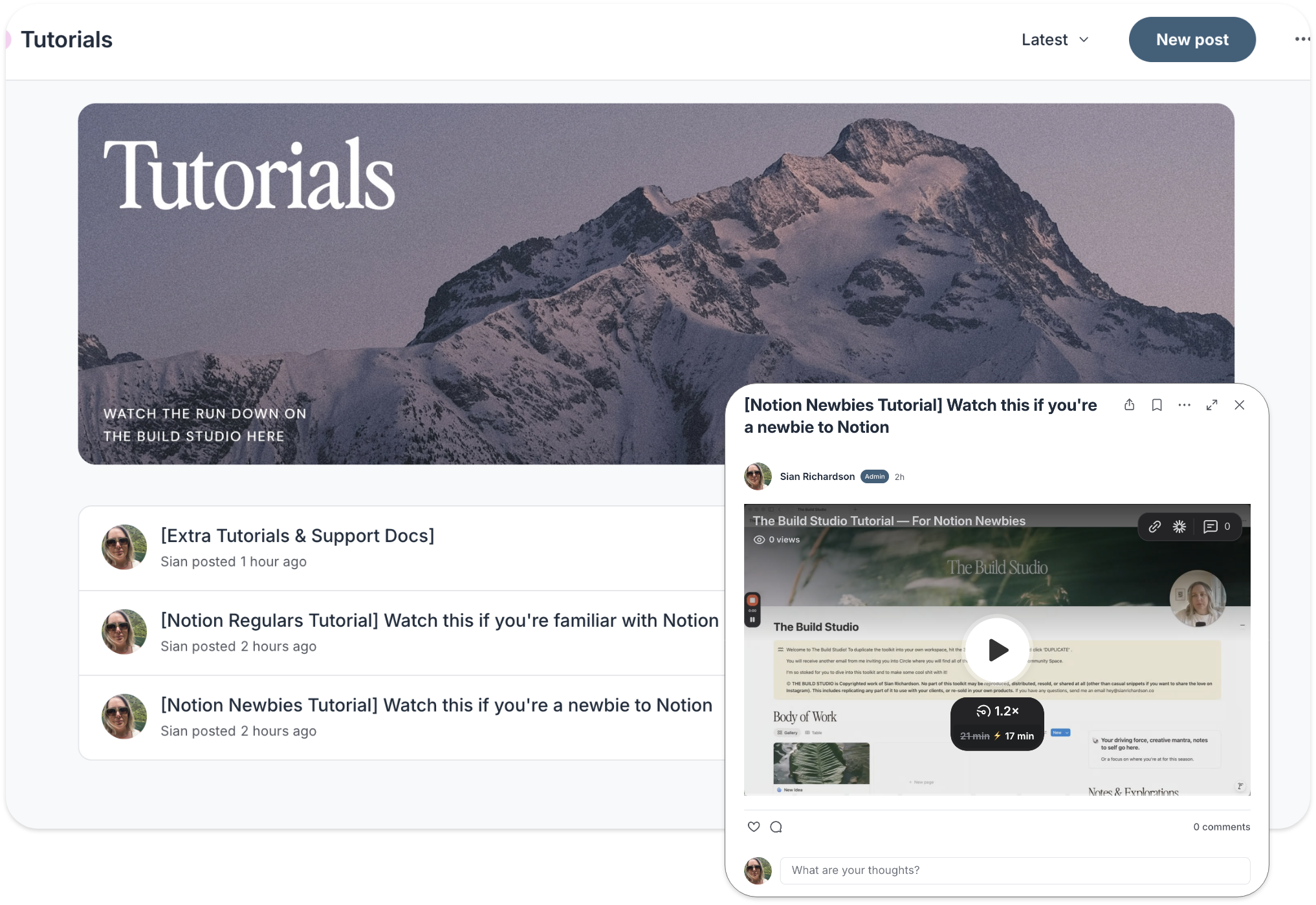
There are video walkthroughs included to show you exactly how the workflow is set up and how to use it. Plus pep-talk videos from me for when you get stuck, lose momentum, or start spiralling, because that's gonna happen, and you'll want them!

Who It’s For
Creatives & solo business owners with more ideas than systems —
If you're the person who gets a dopamine hit from a new idea and then loses steam before it gets real, The Build Studio was built for you. It gives you a place to take your ideas seriously, to actually figure out if they're worth pursuing, and if they are, to build them out properly from the jump.
You’ve got ideas but can't figure out what to do with them next, like how much gas do you even give them, and when??
You keep the idea planning broad because breaking it down feels overwhelming, but when you do break it down, you get lost in the weeds
You're more of a big picture person and the small actionable steps are where it all falls apart
The dopamine is in the planning for you, and initial excitement right off the bat and then you're like "okayyyy bored now", LOL
You feel like it’s a lot less scary to stay in ‘idea’ mode than to make it real, so you never end up launching anything
The kind of shit you could create with The Build Studio…
A prompt card deck. A design template series. A course. A workshop. A zine. A paid email series. A printed field guide. A digital magazine. A resource library. A retreat. A print mail club. A behind-the-scenes vault. A podcast. A pop-up event. A one-off digital issue. A workbook. A design template. A coffee table book…
Whatever form your idea wants to take, I got you.

Why I Made This
I’ve been making & launching shit for my entire business, of 16 years now. Digital products like templates, courses, and workshops, print products like magazines and photo prints and jewellery, collaborations with friends, the list goes on… And tbh, it’s something people comment on a lot, saying shit like “You’re always making new stuff!”, or “How do you launch shit and promote it so easily??”.
And then I realised there was a system to all of it, especially the ones that had a successful launch and seemed to resonate with people. So I decided it was time to just put everything into one sick idea>offer toolkit, mostly for myself, tbh, but also because I got the feeling it’s something a lot of people want help with!
Why I Made This
—
Why I Made This —
Here’s what’s inside—
The Spaces inside The Build Studio—
The main chunk of this Toolkit is separated into spaces you can flow through as you’re working on your idea/offer, so here’s the breakdown.
-
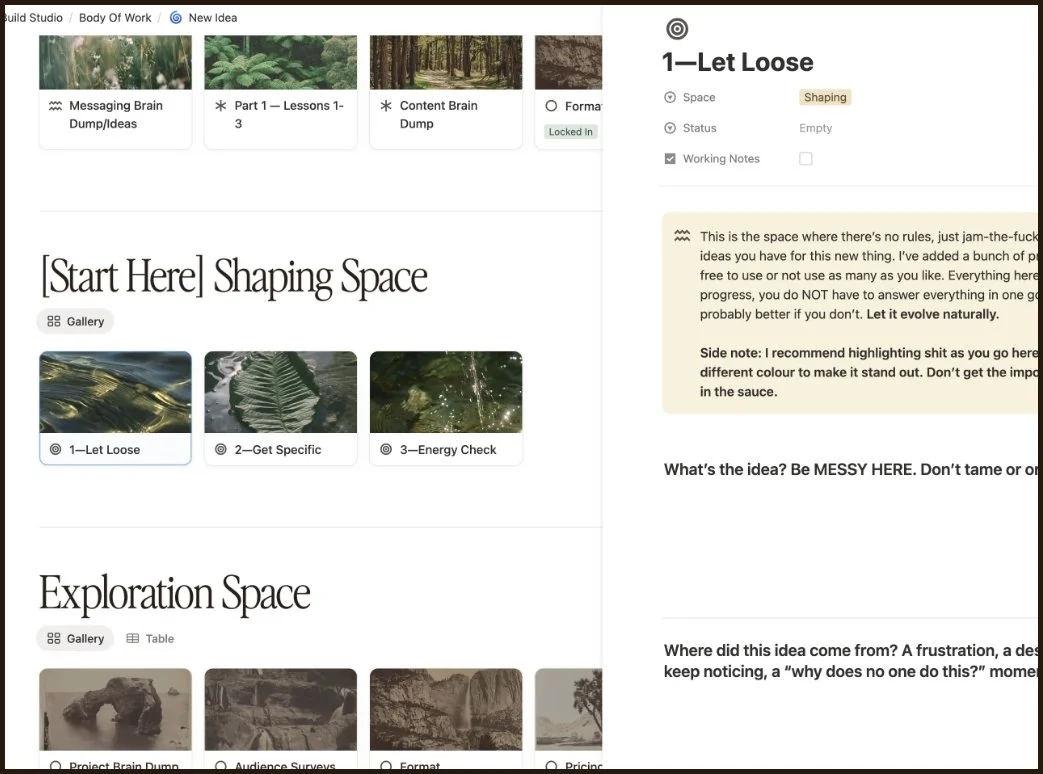
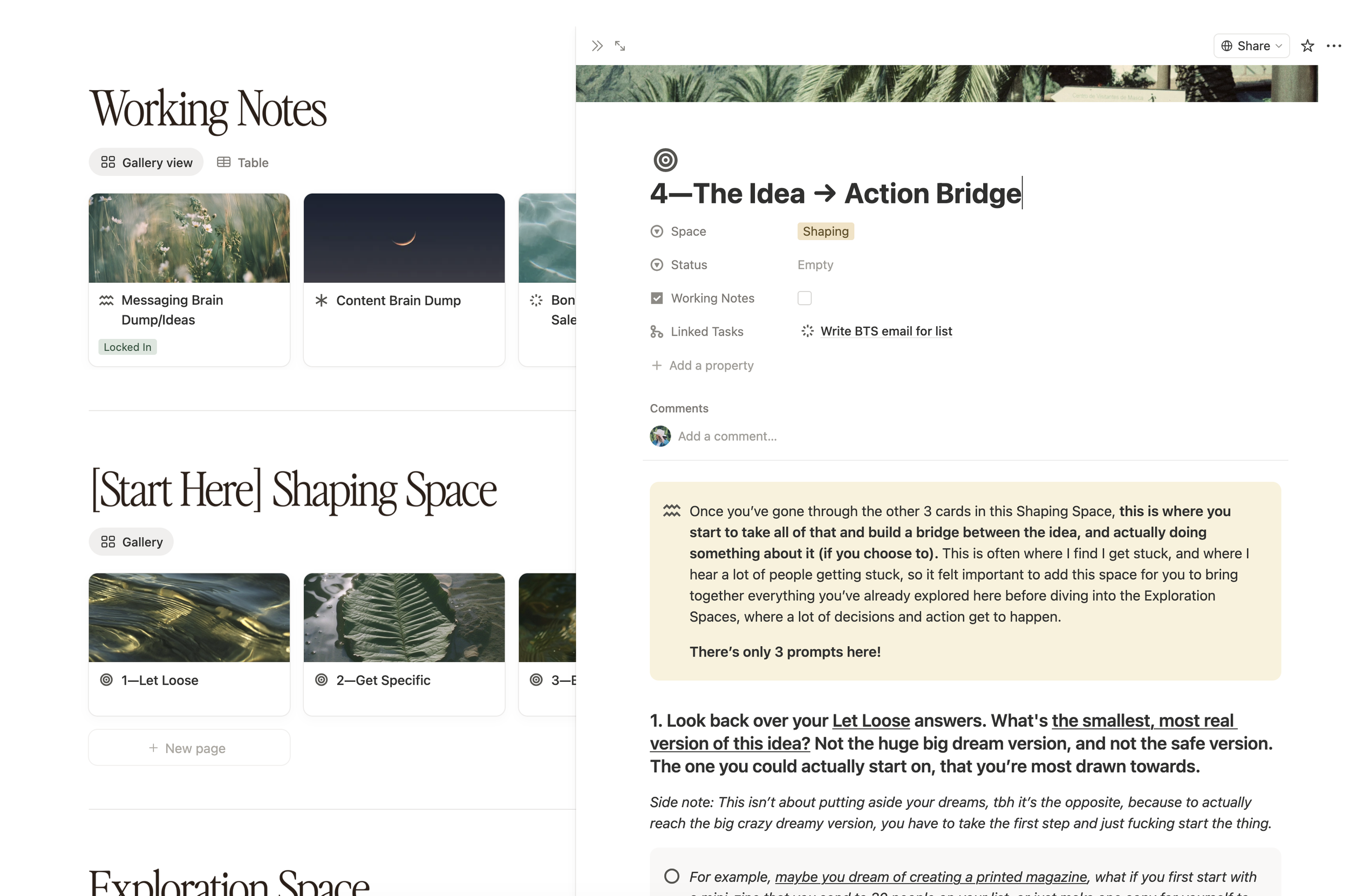
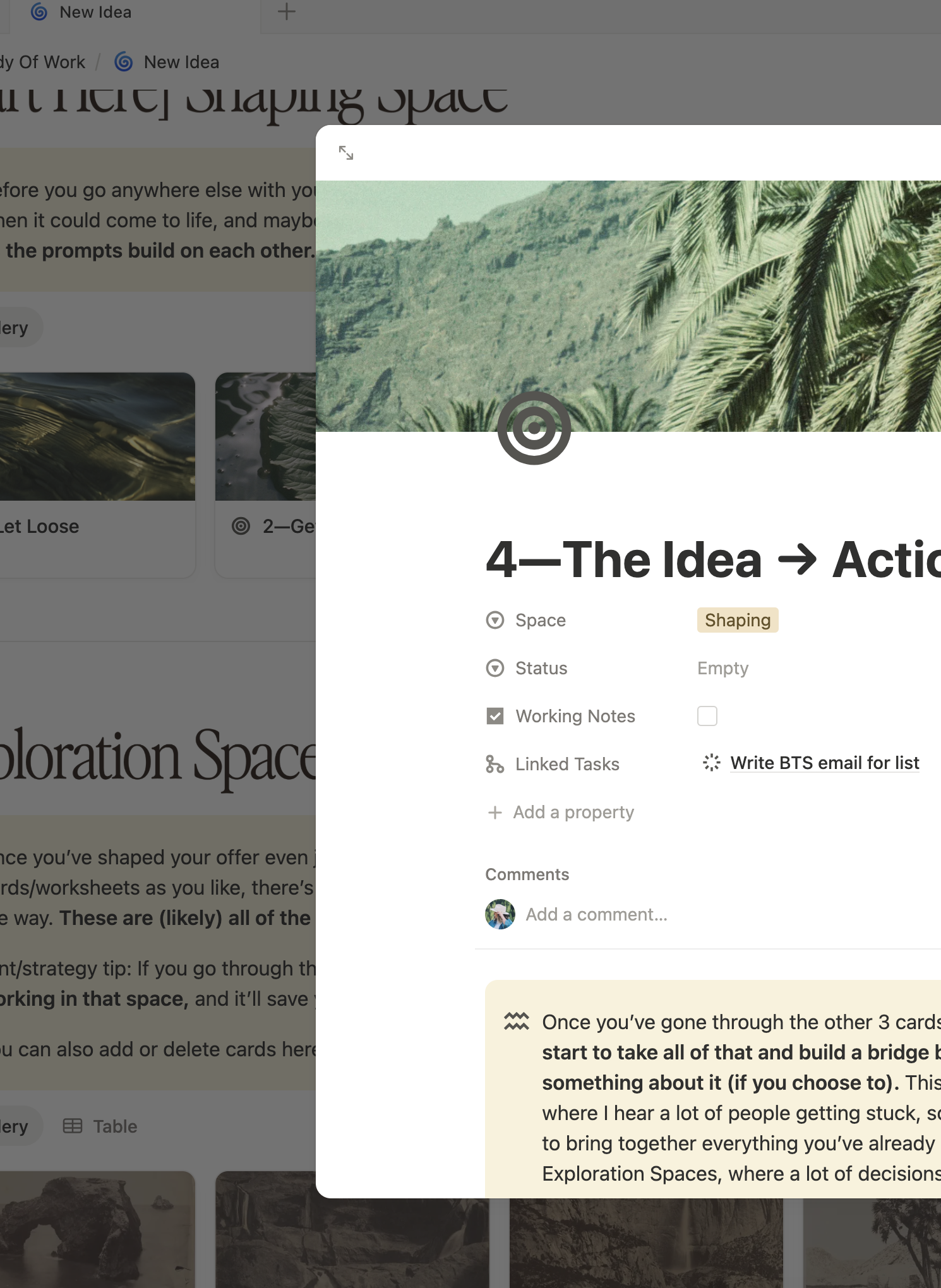
Before you make a single decision, you come here. This is where every idea starts, not with a plan, but with a proper look at how this could evolve into something more, and how your energy may or may not be aligned or ready for it. It’s split into 4 cards:
1: Let Loose — No rules, just get the idea out of your head and onto the page. Messy is the point.
2: Get Specific — Pressure-test it a little. Who is this for, why do you give a shit, what makes your version different.
3: Energy Check — This is the filter. Not "is this a good idea" but "is this the right idea for right now." Some ideas are a yes now, some are a slow burn, and some might not be yours to roll with. This is where we figure that out.
4: The idea → Action Bridge — This takes everything you just worked through and turns it into one thing: your actual next move. This is not some huge crazy plan, just the smallest real step forward.
Some ideas never make it out of this space, and that’s the whole fucking point!
-
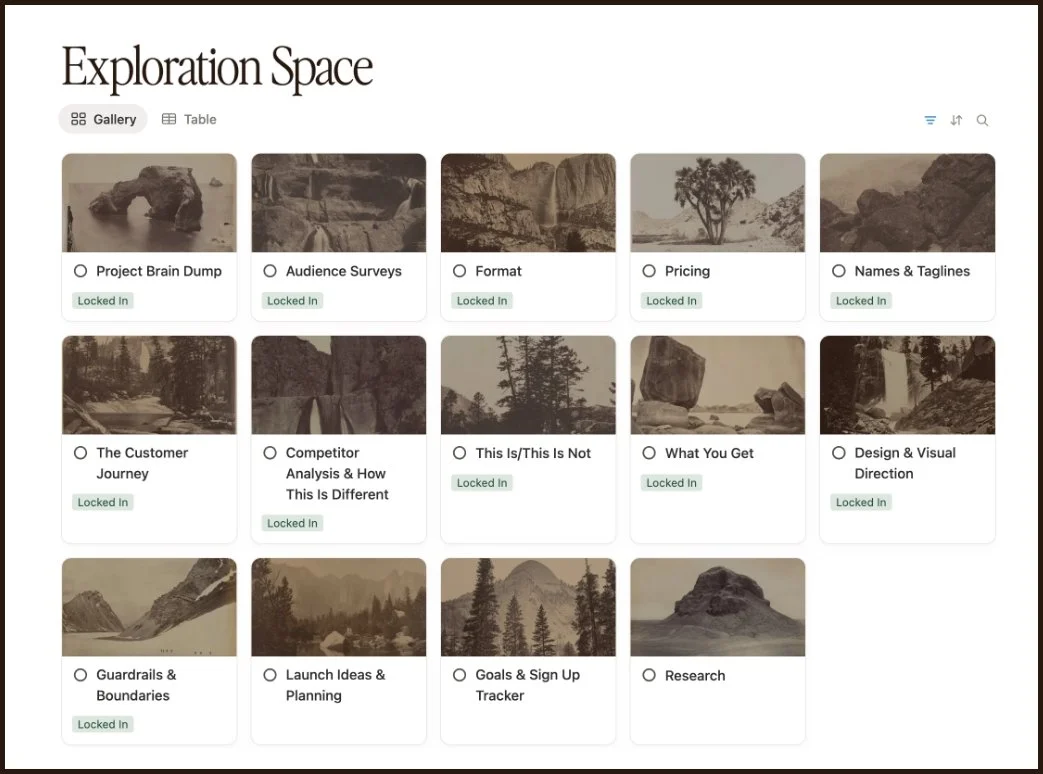
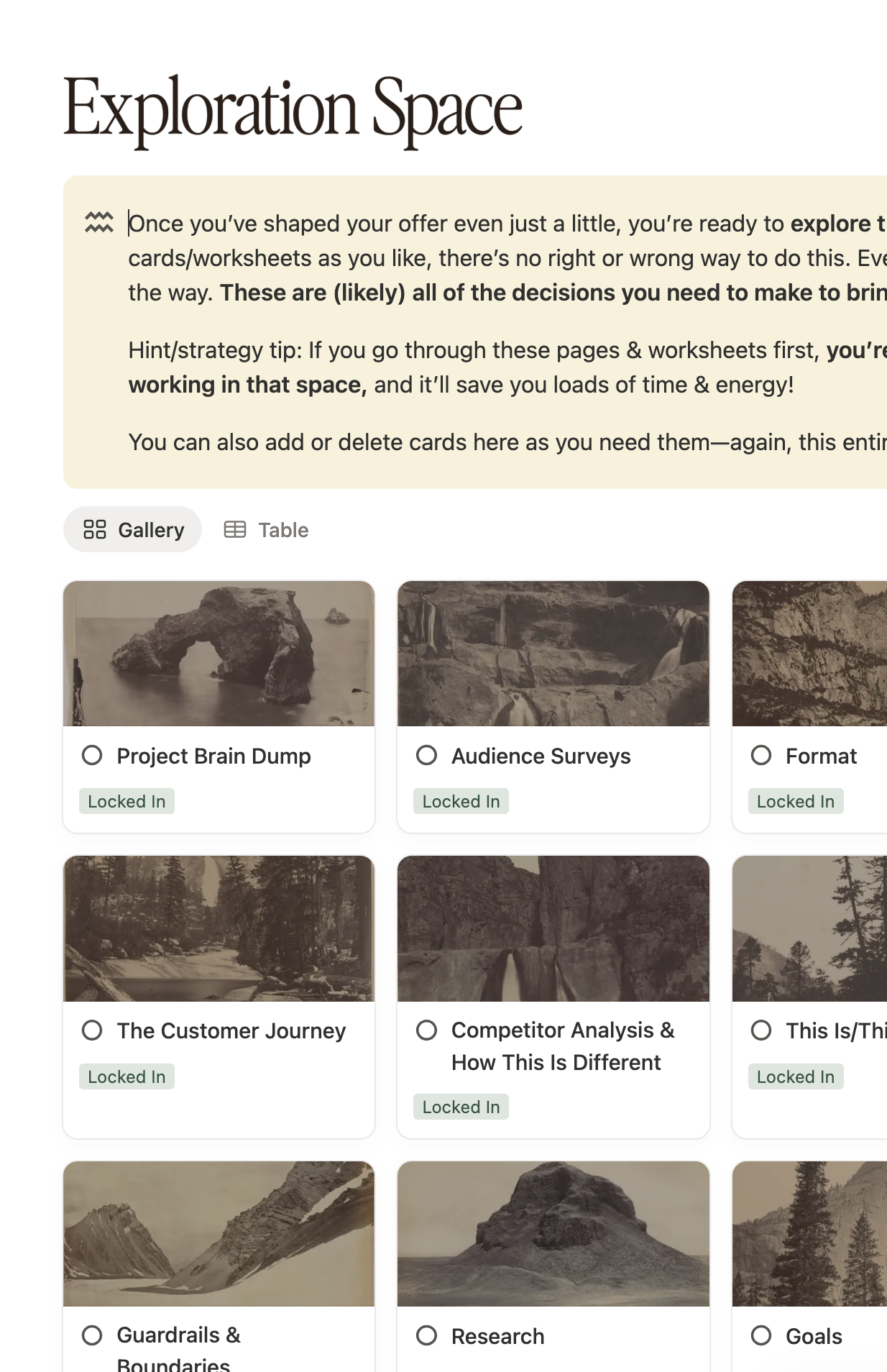
Shit just got real. Worksheets for pricing, naming, format, competitor analysis, point of difference, visual direction, audience, customer journey. Every decision you need to make before you can build anything, with prompts and 16+ years of experience dropped in right where you need it!
Some of the main cards/worksheets in here include:
Audience surveys — a full worksheet on how to run one, what to ask, and how to use the feedback you get. Includes question banks for both general audience surveys and specific product research, plus how to pull patterns from the responses and use them directly in your messaging.
Competitor Analysis — Before you can position anything well, you need to know the landscape. This card walks you through a competitor scan so you can see where your space is crowded, where it's not, and where your work actually has room to breathe.
Format — a deep dive into every possible format your idea could take, with prompts to help you figure out what actually makes sense right now vs what you're just doing because it feels familiar or sellable.
Pricing — to help you figure out what to charge and why, without just pulling a number out of thin air.
This is / this is not — one of the most useful things you can build for your messaging and building your offer. Gets you crystal clear on what you're making, who it's for, and what it's not trying to be.
Guardrails & boundaries — what you will and won't do with this, so it stays aligned with what you actually want to make
And more!
-
This is where you actually make the thing. Content, briefs, working docs, notes, all in one place, so you're not scattered across a hundred tabs.
-
This is where you figure out how to talk about your thing. Not in a "write your captions here" way, in a "actually understand what your offer is and why people should care" way. Because when the messaging is dialled in, the marketing stops feeling hard.
In here you’ll find an Objection Mapping worksheet, this is where you go over every reason someone might not buy, and how to address it before they even think to ask. There’s also a Sales Page Copy Template, too.
-
This is where it all comes together. Every moving part of your launch, in one place, so nothing falls through the cracks and you're not piecing it together from 17 different docs at the last minute LOL.
Launch Game Plan — your full launch mapped out. Dates, phases, what's happening when, so you've got a clear picture of the whole thing before you start.
The Warm-Up Plan — the content and moves you make before you open the doors, so your audience is actually ready to buy when the time comes
The Asset Vault — Every graphic, link, piece of copy, and doc you need for the launch, organised and ready to go
The Content Calendar/Bank — Your content ideas live here, planned or half-baked, dated or not. Switch between list and calendar view depending on whether you're brainstorming or scheduling, and track platform, goal, status, and which offering each piece is tied to.
Bonus: Running a Pre-Sale — a full worksheet for if you want to sell before the thing is built. How to do it, how to position it, and what to watch out for.
Bonus: Running a Beta Test — same deal but for testing the thing with a small group first. How to structure it, price it, and use the feedback to make the full version better.
-
Most people skip this one, including me for WAY too long... Which is wild, because it's where you actually figure out how to make the next launch better, and how to make the work feel better too. You’ll look at:
The numbers — revenue, conversion rates on your sales page and email list, with benchmarks so you know what you're actually looking at and how to read them
The review — the real shit! How did this feel to make and launch? This is where you figure out how you actually work best, so you can lean into that more.
What to take forward — what to keep, what to change, and what to stop doing entirely. So the next body of work is built on everything you just learned from this one!
Also included —
🤎 In-depth lessons and advice from me woven throughout the worksheets, 16+ years of building and launching, distilled into the places I often see people get stuck. Think of this like the nuggets of wisdom & experience you’d find in a high-end course, distilled into digestable chunks exactly when you need it.
😊 Mini pep-talk videos from me dropped directly into the workflow for the exact moments things get hard. When you hit a wall, lose momentum, or your brain starts convincing you to ditch the whole thing... Oop. I've been there every single time, and these are the things I wish someone had said to me!
🌲 Deeper explorations: two worksheets that help you understand how you actually operate and what connects everything you create. So you're not just launching random shit into the void, but building a body of work that actually has a thread running through it.
And, the supporting cast—
✅ A task management system and to-do calendar
👀 A yearly birds-eye view so you can see everything you're working on across the whole year at a glance
⏯️ Video Tutorials showing you how everything works.
The Build Studio—
Notion Toolkit

There's a difference between launching something, and building something.
Launching something is putting some shit out into the world and hoping it sticks… Building something is knowing exactly what it is, why it exists, who it's for, and why you're the one making it—and then putting that into the world. And that’s exactly what The Build Studio is here to help you do.
Buy Now
$197 CAD
— Instant Access to The Build Studio Notion Toolkit.
— In-depth lessons and advice from me woven throughout the worksheets.
— Mini pep-talk videos from me dropped directly into the workflow for the exact moments things get hard.
Approx $139 USD
Watch the 5 min video walk through here
FAQ
If you don’t see what you’re looking for here, send me a message on the ‘gram @sianricho and I’ll get back to you!
-
The Build Studio is a toolkit, so it’s kinda got the best of both worlds tbh.
You get the depth of a course (the thinking, the strategy, the "here's what to consider and why") without having to sit through hours of video to get to the useful bit.
And you get the hands-on practicality of a template (a real working system inside Notion) without the blank-page paralysis of figuring out what to actually put in it.
Almost every card is a prompt, a worksheet, a decision, something you do or work through, not just something you read.
You work through it on your own project, at your own pace.
-
Both, but for different reasons.
If you're earlier in your journey, it gives you the structure you don't have yet. Instead of googling "how do I launch a thing" and getting 47 conflicting answers, you've got a clear process that walks you through the right questions in the right order.
If you've been at this a while, it gives you the thinking you've probably been skipping. You know how to execute, you've launched things before, but you might also know that feeling of getting to the end and realising you never properly figured out who it was actually for, or why it was different, or whether you even wanted to make it in the first place. That's what this irons out before it becomes a problem.
The sweet spot is probably somewhere in the middle, you've got an idea, you've got some runs on the board, but you want a process that actually holds up.
-
Even better. Run them through the Shaping space and let the process tell you which one's worth building right now.
Also, The Build Space is a repeatable process, you can literally add as many ideas as you like to your body of work.
-
No worries! I’ve got a series of video tutorials for you to follow to get a handle on how everything works, and how to customise it all to suit your own visual style.
Notion is an incredibly powerful and robust tool, so once you get a handle on it, I think you’re gonna love it.
-
No! You can totally use the free version for this toolkit.
-
Not at this time, this is only available as a single payment.
-
There are no refunds, due to the digital, instant access nature of this product. Everything you need to know about the Layout Library is listed here, if you have any questions about anything shoot me a DM, I would be happy to help clarify anything for you.
-
If you're looking for a done-for-you marketing plan, a fill-in-the-blank business model, or someone to just tell you what to make, this isn't it.
It's also not for you if you're not actually ready to do the thinking. The Build Studio asks real questions that sometimes have uncomfortable answers. If you'd rather skip that part and jump straight to the aesthetic, you'll probably find it frustrating.
This is for people who are serious about building something with actual substance to it… and that requires showing up and doing the work.